
Business Texting & AI
Text, call, and answer
from one business number
The number customers already have, now it texts back
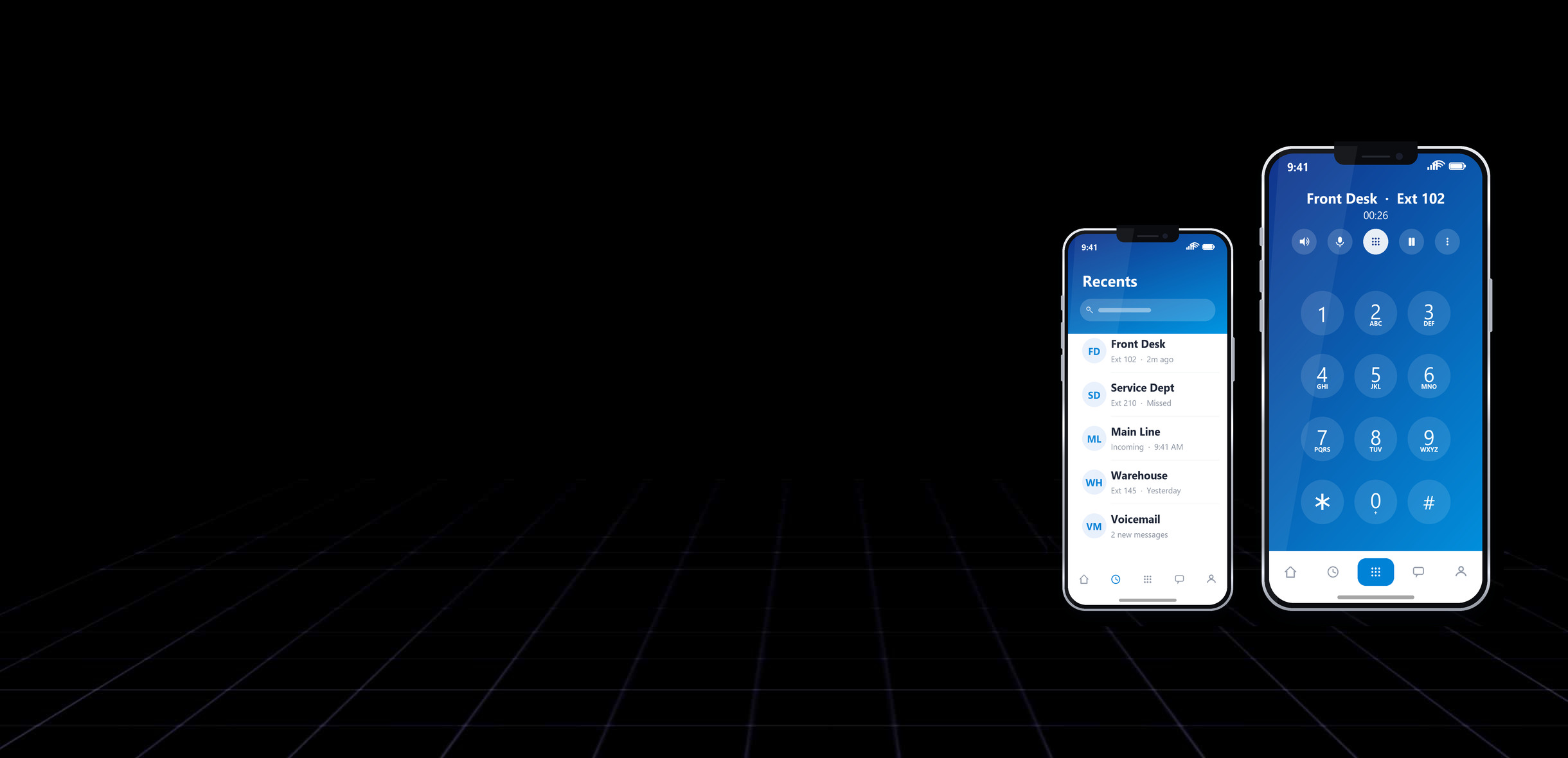
Customers text a business the same way they text everyone else. If your main line cannot receive a message, those conversations either go nowhere or end up on an employee's personal cell phone, where no one else can see them and nothing is kept. We turn the business number you already publish into a full two-way messaging line, so texts land somewhere your whole team can work them.
The same conversation can be handled by a person at the front desk or by an AI assistant running in the cloud. Your staff stay in control, the assistant covers nights, weekends, and the moments when everyone is busy, and every message stays on the company's number and in the company's records.
Two-way SMS and MMS
Shared team inbox
AI answering after hours
Works with Microsoft Teams

Solutions
What business texting does for
your team.
One number for calls, texts, and AI
Local setup, carrier registration, and ongoing support
so you are never left working it out alone.
-
Top-rated

Turn on messaging for the number already on your truck, your invoices, and your website. Customers reply to the number they know, with no second number to publish and, in most cases, nothing to port.
-
Elite
Every message lands in one place your team can see, assign, and answer, with private internal notes on the thread. Conversations do not vanish when the person who was handling them is out.
-
Trending

A cloud assistant answers common questions, takes messages, books appointments, and gathers details from new callers in plain language, then hands off to a person the moment it should.
-
Hot
Send and receive business texts in the same Teams window your staff keep open all day, so onsite employees, remote staff, and the assistant all work the same conversation.
-
Secured
Carriers require every business texting number to be registered, with working opt-outs and message retention. We handle the brand and campaign registration, set up STOP and HELP replies, and keep the archive.
-
New!
Appointment reminders, service notices, and scheduled follow-ups, to one customer or to a list, with delivery reporting so you know what actually arrived.
FAQ
Answers to the questions
we’re asked most.
Feel free to contact us directly, we are happy to assist
We're here to help! Our FAQ section provides quick answers to
some of the most common inquiries we get on our IT services.
Can customers text our main business number?
In most cases yes. We enable messaging on the number you already publish, including many landline and VoIP numbers, without porting it or changing your voice service.
Do customers need an app to text us?
No. They use the normal messaging app on their phone. Pictures and video attachments work the same way.
What is 10DLC registration, and do we need it?
Carriers require every business that sends text messages to register the company and the kinds of messages it sends. Unregistered traffic gets filtered or blocked outright. We handle the registration and the ongoing paperwork.
What does the AI assistant actually do?
It answers routine questions, takes and summarizes messages, schedules appointments, and collects details from new callers, working from information you give it about your business. Anything outside that goes to a person.
Does it answer calls too, or only texts?
Both. The same assistant can pick up the phone and hold a spoken conversation, then send a follow-up text or a written summary of the call to your team.
Can we keep a person in the loop?
Always. Your staff can take over any conversation at any point, and you decide which hours, numbers, and topics the assistant is allowed to handle on its own.
Does this replace our phone system?
No, it runs alongside it. If we already provide your VoIP phones, texting and AI answering are added to the same numbers. If your phones are somewhere else, we can usually add messaging without touching them.
Where do the messages live, and who can see them?
They belong to the business, not to an employee's personal phone. Your team sees them in the shared inbox or in Microsoft Teams, and we can retain an archive for recordkeeping.
Your Benefits
Bring your team and your AI
onto one business number
Talk to our team about turning your business line into a shared,
always-answered channel of texting, calls, and an AI assistant,
set up, registered, and supported locally.
One business number
Nothing missed after hours
Carrier-compliant
Local setup and support
Contact Us
Connect with us for best solutions
and success.
We enhanced speed and design for a better user experience
Schedule an appointment with us today!
Keep up with the dynamic world of IT operations,
and stay ahead with cutting-edge solution.
-
Emails
-
Phone
-
Location
-
Follow us on